Family and friends
Documents belong to you or a family member — a joint policy can belong to several. Names on documents are matched automatically.
 DOCUSENSE
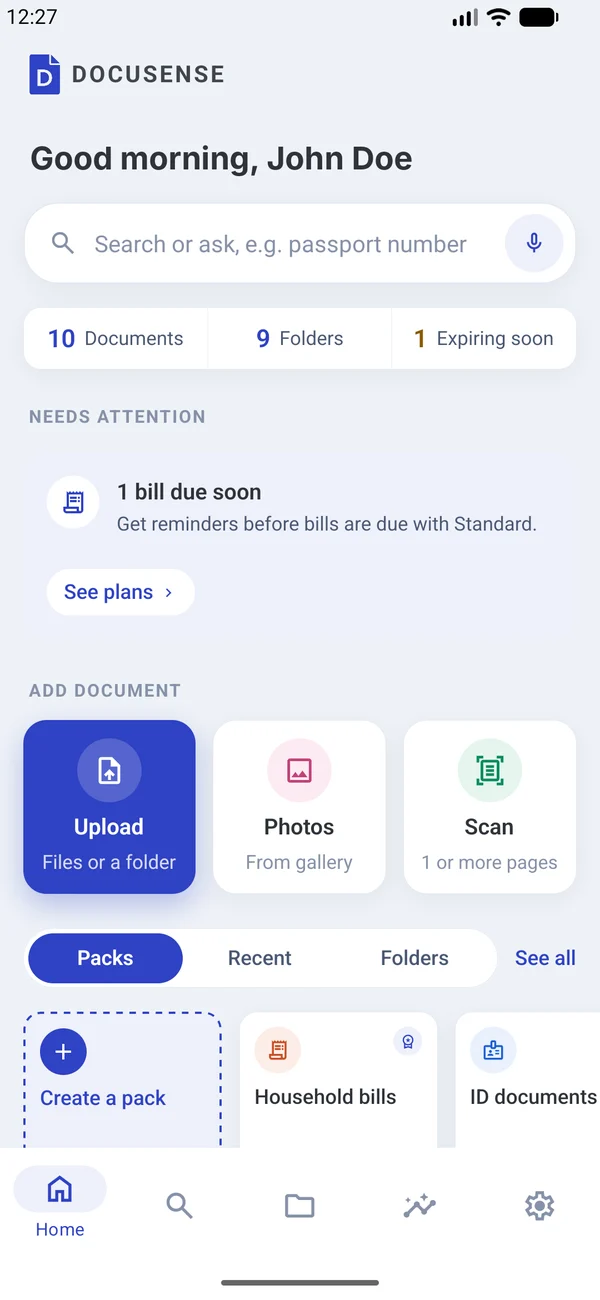
A passport, a bill, a policy or a payslip — DocuSense files it in the right folder, reminds you before it expires, and answers your questions in plain words.
3 months free · iPhone and Android
HOW IT WORKS
Upload files (PDF, Word, text, images, up to 25 MB), pick from Photos, or Scan with the camera — up to 15 pages into one PDF.
Text is taken from digital files; photos and scans are read on your phone. For passports and ID cards, check digits confirm the number, birth date and expiry.
AI works out what it is, gives it a clear title, picks the folder, and pulls out the numbers, names, dates and amounts you'll look up later.
Expiry dates, bills due and warranty ends become reminders before they happen.
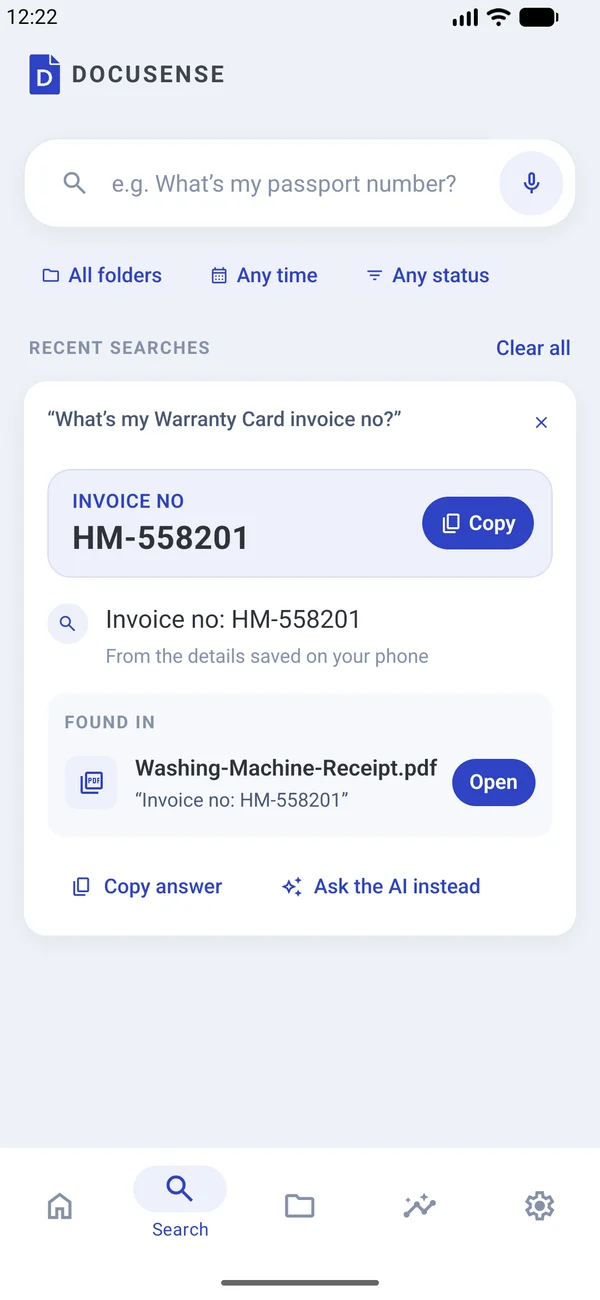
Type or speak "When does my licence expire?" and get the answer, with a Copy button and the document it came from.
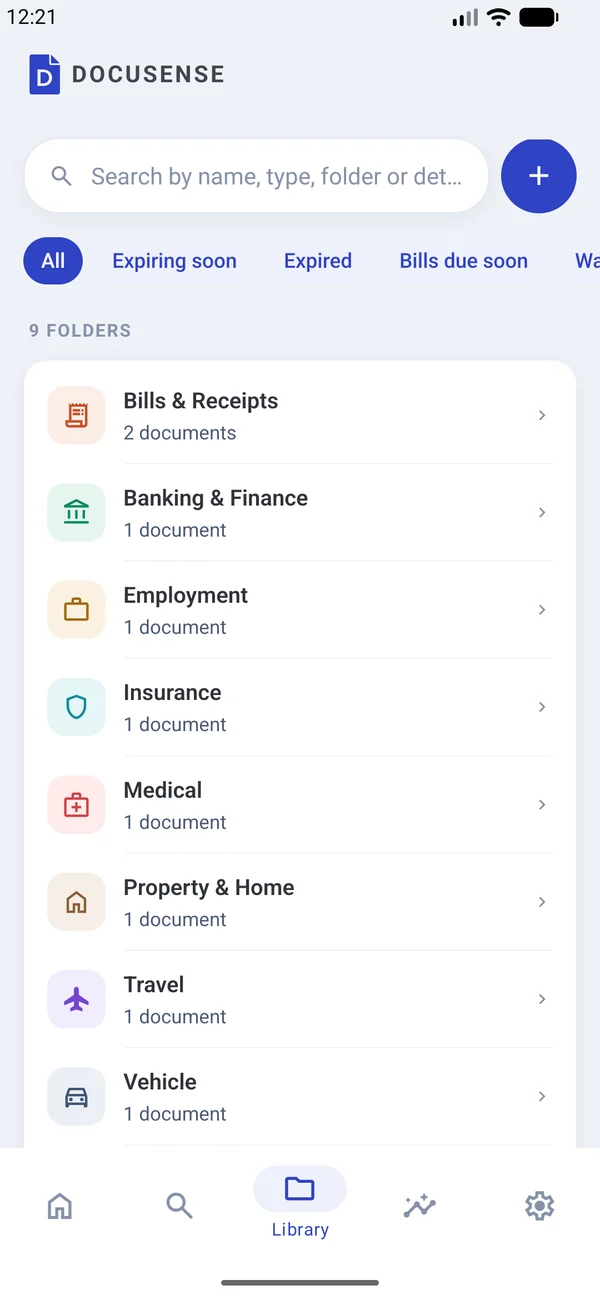
SMART FOLDERS
A share code goes to Visa & Immigration, a payslip to Employment, a lab report to Medical, an electricity bill to Bills & Receipts. No filing to do.
ASK
Type or speak a question like "What's my passport number?" The answer appears large with a Copy button, and Found in shows the document and the exact passage it came from.
EVERY DOCUMENT
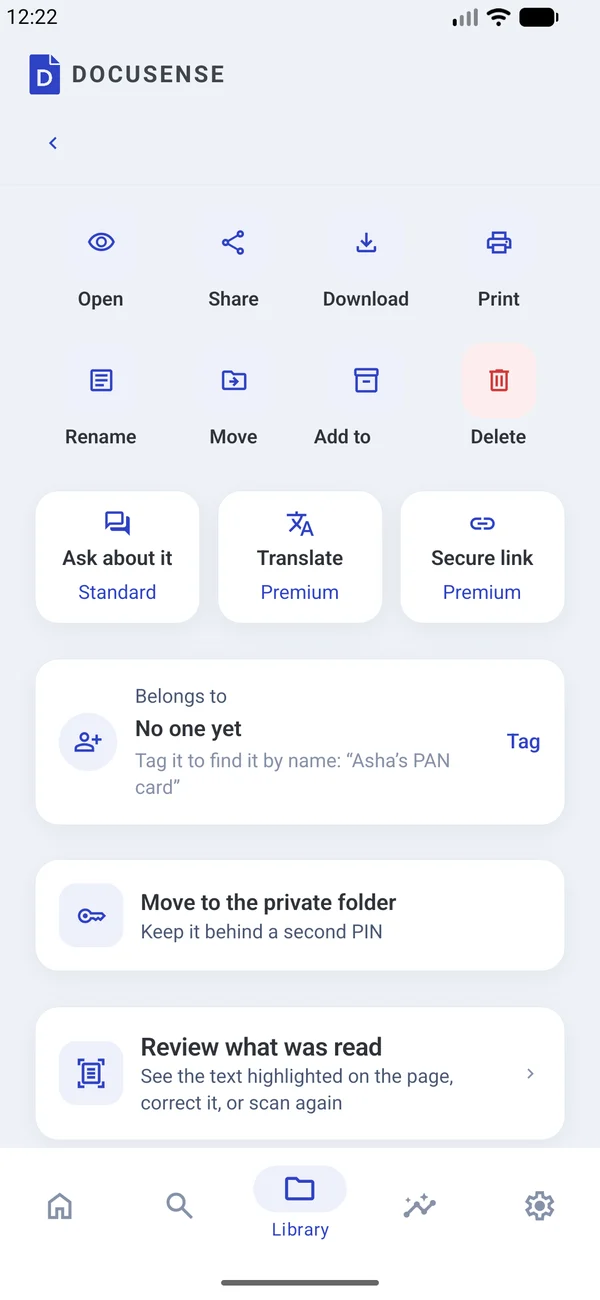
Each document has its own page: details as labels and values, dates, and who it belongs to. Review what was read on the page itself, correct any value, or ask it to find another detail, like an IFSC code or a nominee name.
INSIGHTS
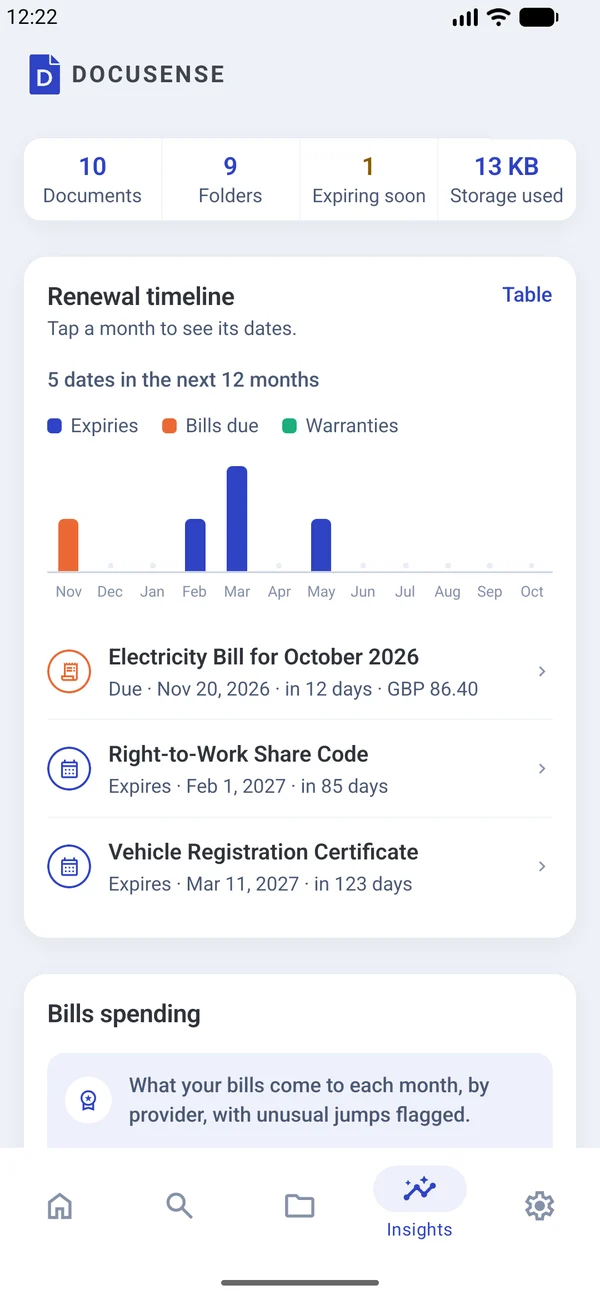
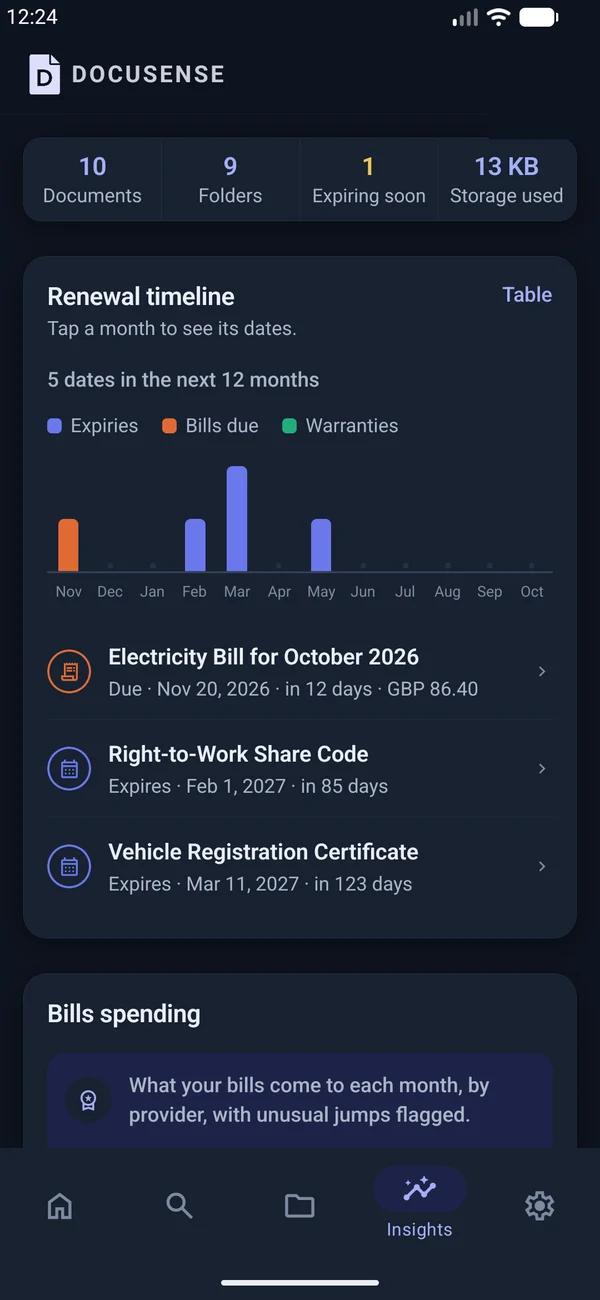
A renewal timeline for the next 12 months shows expiries, bills due and warranties at a glance. Tap a month to see its dates.
Plus library clean-up: duplicates, scans with no text and large files.
DOCUMENT PACKS
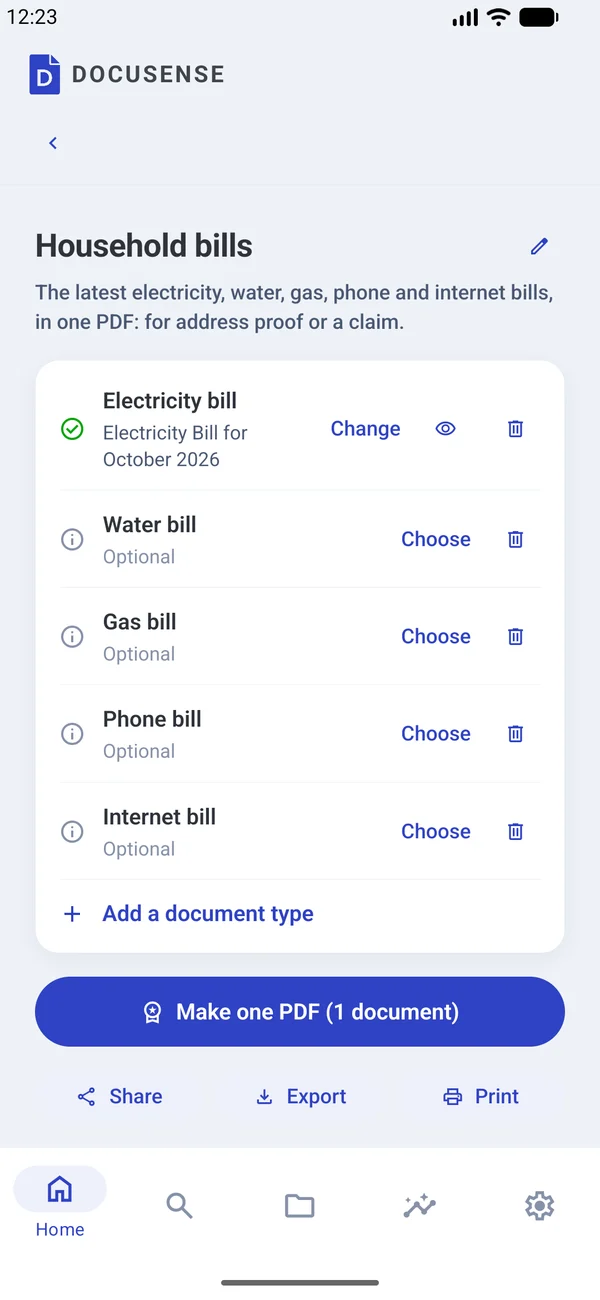
PremiumDocuSense picks the documents an application usually asks for, shows what's missing, and builds one PDF with a cover page listing what's included. Share, export or print it.
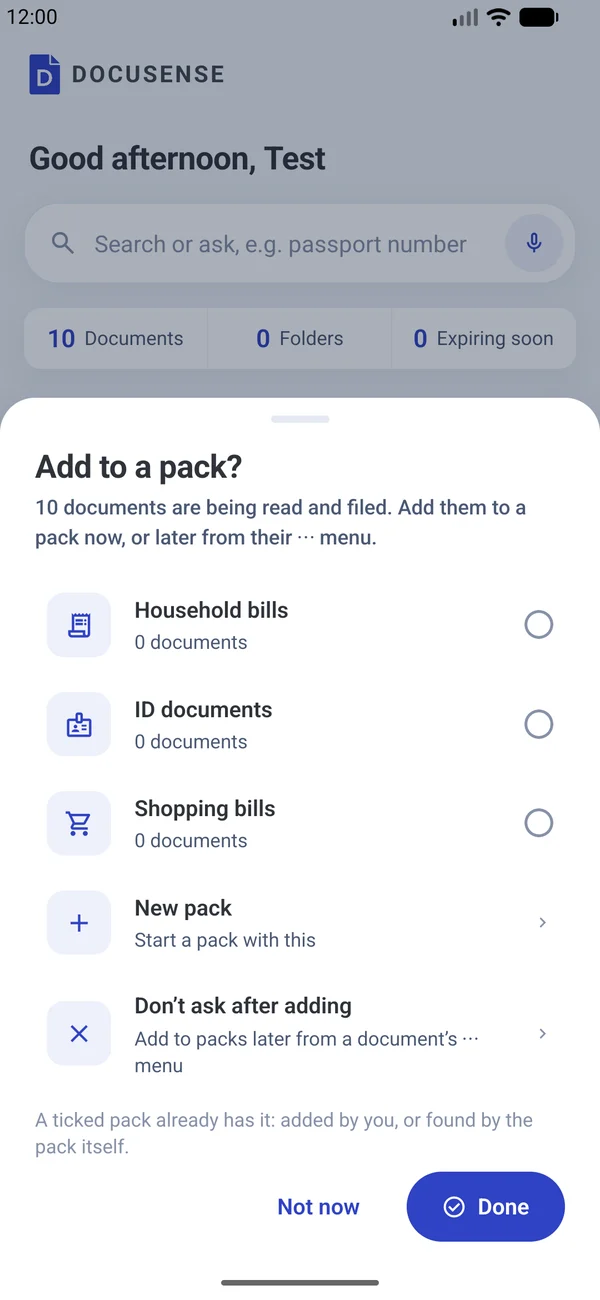
Ready-made packs: ID documents · household bills · shopping bills · visa application · home loan · renting a home · new job · school admission · tax year. Or describe your own: "Visa application for Europe".
AND THERE'S MORE
Documents belong to you or a family member — a joint policy can belong to several. Names on documents are matched automatically.
Your own private address. Forward a bill or ticket to it and it appears on your phone, already filed.
Share a document or chosen details by an encrypted link with an expiry (1 hour to 30 days), an open limit and a PIN. Opens in any browser.
Blood group, allergies, medicines, doctor and emergency contacts, shown from the lock screen. Up to 3 trusted contacts can request access.
Hidden from lists, search, answers, the widget and notifications until unlocked with a second PIN or fingerprint.
Pin your most-used numbers to Home, one tap to copy. Expiry and due dates go straight into your phone's calendar.
An end-to-end encrypted copy across your devices. Only you hold the recovery key.
Bring in hundreds of files at once and let DocuSense sort them.
English, Hindi, Bengali, Marathi, Tamil, Telugu, Kannada, Malayalam, French, German and Spanish.
LIGHT OR DARK
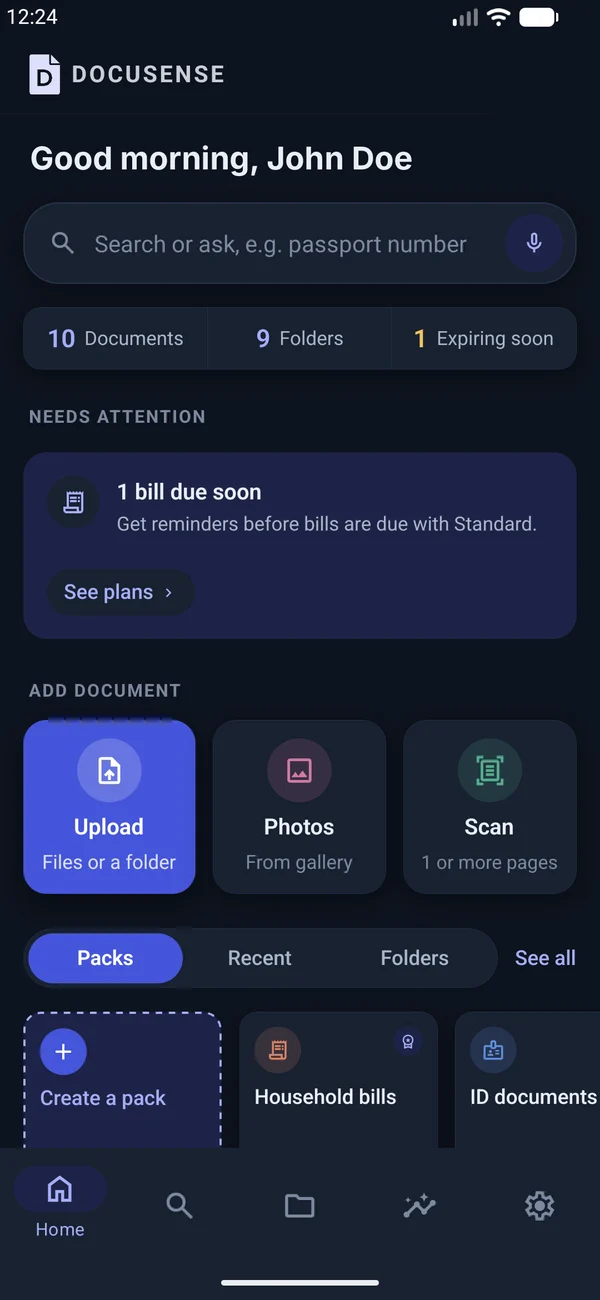
Switch to dark mode in Settings. Status colours always come with an icon and a label, so nothing depends on colour alone.
Unless you turn on cloud sync — and then the server only ever holds them end-to-end encrypted.
PLANS
Then choose Standard or Premium. Pay in the app through Google Play or the App Store. A year costs 10 months.
£0 for 3 months
Read, file, remind and ask, with DocuSense's own AI. About a minute per document.
[£ price] / month
Everything in the trial, with Claude Haiku reading, filing and answering: faster and more accurate.
[£ price] / month
Everything in Standard, with Claude Opus, the most capable AI.
3 months free on iPhone and Android.
[Add store links when the listings are live]